BlakePorts: A Personal MacPorts Repository with Legacy SSH Support
BlakePorts is my personal MacPorts repository that serves multiple purposes: maintaining custom ports, providing automated CI/CD workflows, and solving the challenge of connecting to legacy macOS systems that require deprecated SSH algorithms.
The Legacy SSH Problem
Modern macOS systems ship with OpenSSH 10+, which has removed support for older, less secure algorithms like ssh-rsa and diffie-hellman-group1-sha1. This creates a problem when you need to connect to legacy macOS systems (10.6-10.8) or older servers that still require these deprecated algorithms.
The solution? openssh9-client - a MacPorts port that provides OpenSSH 9.9 client tools that can coexist with your system’s OpenSSH 10+ installation.
Installing and Using OpenSSH 9 Client
1# Install from MacPorts
2sudo port install openssh9-client
3
4# Connect to legacy systems
5ssh9 hostname
All binaries are suffixed with ‘9’ (ssh9, scp9, sftp9, etc.) and use separate configuration in /opt/local/etc/ssh9/, so they don’t interfere with your system’s SSH installation. This allows you to maintain modern security standards on your main system while still being able to connect to legacy infrastructure.
The port includes a setupoldmac script that automates the configuration of SSH keys and development environments on legacy macOS systems, making it easy to manage older VMs and servers.
Using BlakePorts
To use BlakePorts alongside your existing MacPorts installation, you need to configure MacPorts to use both sources. MacPorts will check sources in order, and ports from BlakePorts (marked with [default]) will take precedence over ports from the standard MacPorts repository.
Setting Up sources.conf
- Clone the BlakePorts repository to a local directory:
1git clone https://github.com/trodemaster/blakeports.git ~/code/blakeports
- Edit the MacPorts sources configuration file:
1sudo vi /opt/local/etc/macports/sources.conf
- Add BlakePorts as the first source with the
[default]tag, followed by the standard MacPorts source:
1file:///Users/yourusername/code/blakeports [default]
2rsync://rsync.macports.org/macports/release/tarballs/ports.tar.gz
Important notes:
- Replace
/Users/yourusername/code/blakeportswith the actual path where you cloned the repository - The
[default]tag means BlakePorts ports take precedence when there are conflicts - The standard MacPorts source provides all other ports
- You can use
file://for a local clone orhttps://github.com/trodemaster/blakeports.gitfor a remote Git repository
- Sync the port index to update MacPorts with the new sources:
1sudo port sync
- Verify the setup by searching for a BlakePorts-specific port:
1port search openssh9-client
You should see the port listed with the BlakePorts source. Now you can install BlakePorts ports just like any other MacPorts port:
1sudo port install openssh9-client
Example sources.conf Configuration
Here’s a complete example of a sources.conf file with BlakePorts configured:
1# BlakePorts - personal repository with custom ports
2file:///Users/blake/code/blakeports [default]
3
4# Standard MacPorts repository
5rsync://rsync.macports.org/macports/release/tarballs/ports.tar.gz
The [default] tag ensures that when a port exists in both repositories, MacPorts will use the version from BlakePorts. This is useful for custom ports or when you need a modified version of an existing port.
Key Features
Custom Ports
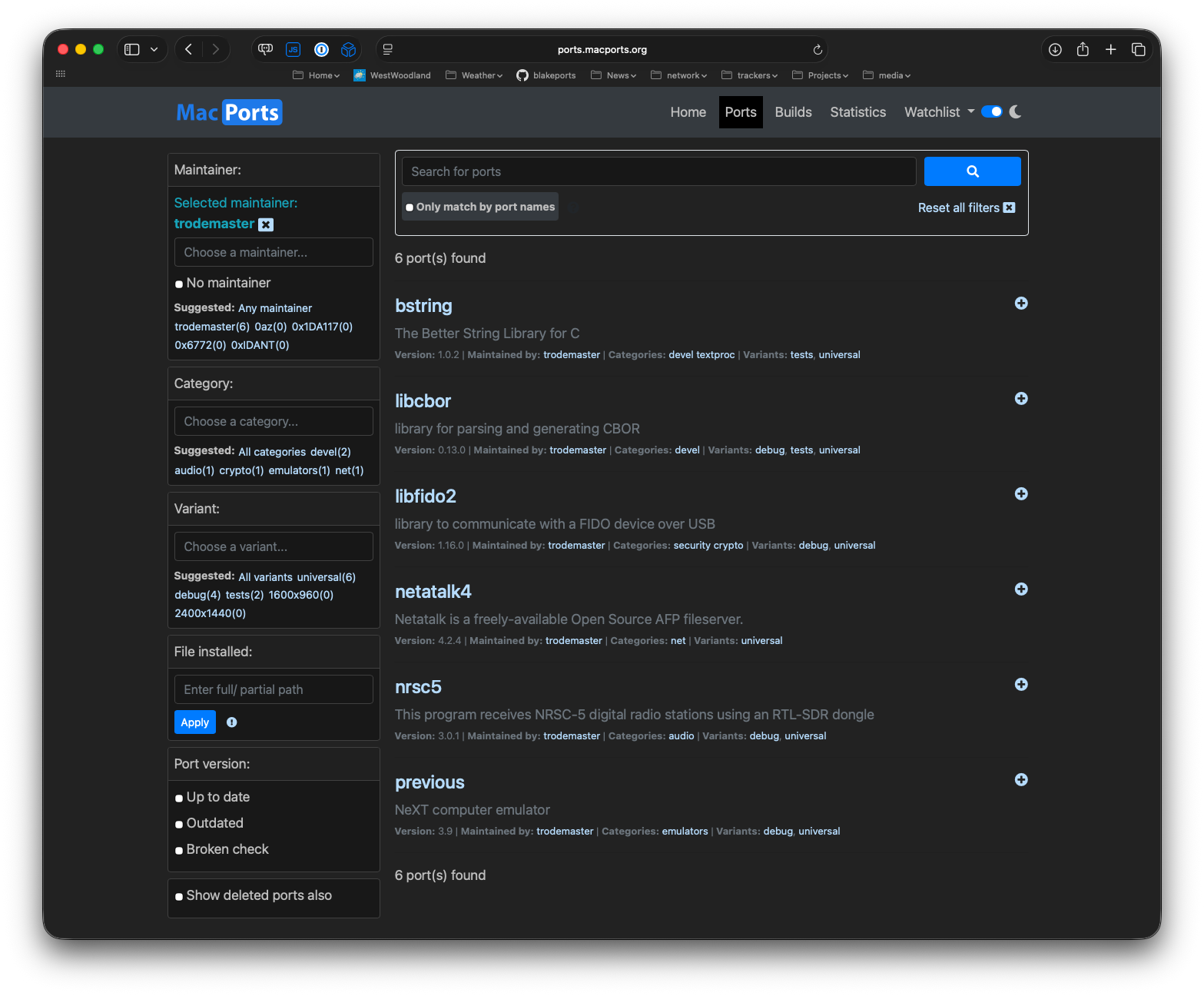
BlakePorts maintains several custom ports:
- audio/nrsc5 - Software-defined radio for NRSC-5 (HD Radio)
- devel/libcbor - CBOR protocol implementation library
- security/libfido2 - FIDO2 authentication library with patches for Apple GCC compatibility
- net/netatalk4 - Apple Filing Protocol (AFP) server
- net/openssh9-client - OpenSSH 9.x client tools for legacy system access
Automated CI/CD with Multi-macOS Matrix Builds
All ports are automatically tested using GitHub Actions with a matrix strategy that builds on multiple macOS versions simultaneously:
- macOS 15 (Sequoia) - Latest stable macOS version
- macOS 26 Beta - Preview of upcoming macOS features
This ensures compatibility across the macOS ecosystem and catches version-specific issues early. Each workflow runs in isolated tart VMs, providing clean, reproducible builds.
Self-Hosted Runners
The repository uses self-hosted GitHub runners managed by the jibb-runners tool. The VMs used by these runners are built using Packer templates for macOS 15 and 26, which create clean, reproducible base images. Each runner runs in an isolated tart VM, providing:
- Isolated environments - Each macOS version gets its own dedicated VM
- Parallel execution - Both versions build simultaneously for faster feedback
- Independent results - Builds can succeed on one version and fail on another
Docker Infrastructure for Legacy Testing
The docker/ directory contains infrastructure for testing ports on legacy macOS systems (10.6-10.8) that cannot run GitHub Actions natively. Docker runners use OpenSSH 9.x to connect to these legacy VMs and execute build tests remotely.
Sync Scripts
The syncfromgitports script efficiently syncs the repository with the upstream MacPorts repository without requiring a full local clone. It uses multiple fallback methods (git archive, GitHub API, sparse checkout, shallow clone) to sync:
_resources/- MacPorts build system files, port groups, and configurations- Active port directories - Latest versions from MacPorts
Comprehensive Testing
The fulltest script provides end-to-end testing that recreates the entire CI/CD pipeline from scratch:
- Removes all existing runners
- Creates fresh runner VMs
- Waits for runners to come online
- Triggers all port build workflows
- Monitors build progress
This is perfect for validating major changes or ensuring the entire port collection works after upstream syncs.
Workflow Structure
All workflows use consolidated setup and matrix strategies:
- Consolidated setup - Each workflow uses
./scripts/installmacportsfor idempotent MacPorts and BlakePorts configuration - Matrix builds - Each workflow runs on multiple macOS versions automatically
- Clean builds - Automatic uninstall/cleanup of existing port installations
- Self-hosted runners - Isolated tart VMs for each macOS version (built with Packer templates)
Development Workflow
Ports can be manually triggered for testing without making commits:
1# Trigger individual port workflows
2gh workflow run "Build netatalk4"
3gh workflow run "Build libfido2"
4gh workflow run "Build libcbor"
5gh workflow run "Build nrsc5"
Each manual trigger automatically tests on both macOS 15 and macOS 26 Beta, making it easy to iterate during development.
Repository Structure
_resources/- MacPorts build system files synced from upstreamaudio/,devel/,net/,security/,textproc/- Custom port directoriesscripts/- Automation scripts for installation, syncing, and testingdocker/- Docker infrastructure for legacy macOS testing.github/workflows/- GitHub Actions workflows for automated builds
Future Plans
The repository continues to evolve with plans for:
- Additional custom ports as needed
- Support for more legacy macOS versions in the Docker testing infrastructure
- Improvements to the sync and testing automation
BlakePorts demonstrates how personal MacPorts repositories can solve specific problems (like legacy SSH access) while maintaining modern development practices through automated CI/CD and comprehensive testing.
For more details, check out the BlakePorts repository.